Connector documentation
Remote MCP server
Workout Memory gives AI assistants a structured memory for workouts: lifting, yoga, spinning, mobility, conditioning, and more. Users sign in once, authorize the MCP connector, then log, recall, correct, and share workouts through natural language.
Connection
- MCP endpoint
https://workoutmcp.com/mcp/workout-memory- Transport
- Streamable HTTP
- Authentication
- OAuth 2.1 with PKCE, dynamic client registration, refresh tokens, and
mcp:usescope. - Metadata
https://workoutmcp.com/.well-known/oauth-authorization-server
Core capabilities
- Log completed workouts from natural language.
- Track live sessions with start, append, note, and finish tools.
- Add previous sessions by pasting notes, tables, or CSV-like data for the assistant to split into dated workout logs.
- Resolve exercise phrases and remember user corrections.
- Return workout history, best efforts when relevant, and training summaries.
- Store durable user context such as goals, constraints, and equipment.
- Create revocable public workout share links only when explicitly requested.
Setup
ChatGPT
-
Enable Developer mode in Settings -> Apps & Connectors -> Advanced settings.
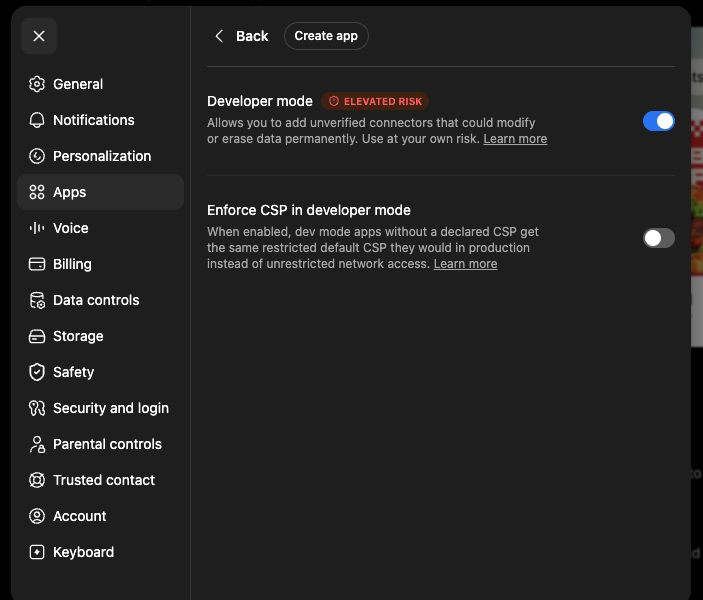
-
Create a custom app named Workout Memory with the MCP endpoint above.
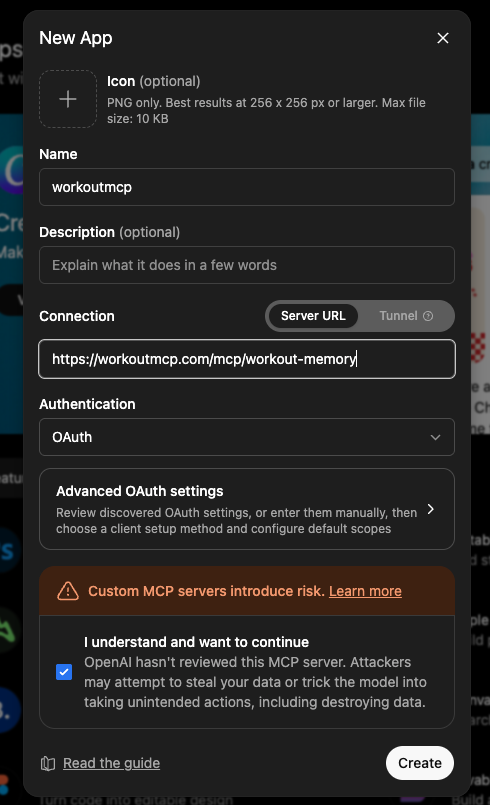
-
Select OAuth authentication, connect, sign in, and approve access.
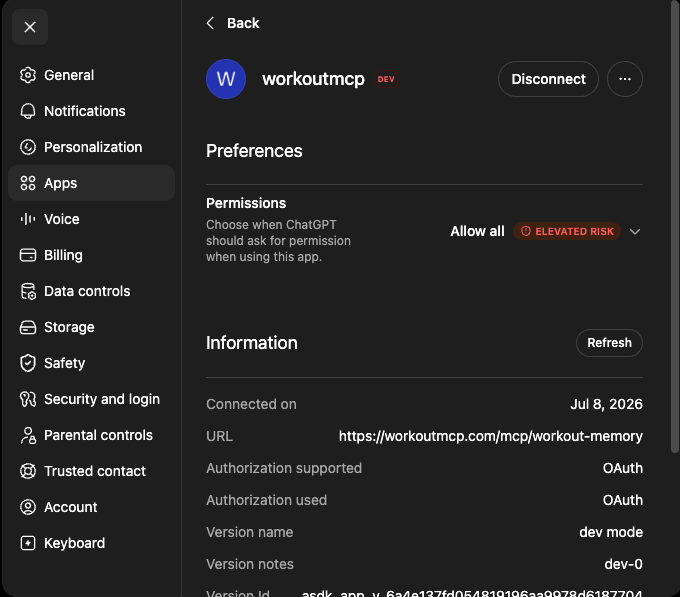
Claude
-
Open Settings -> Connectors -> Add -> Add custom connector.
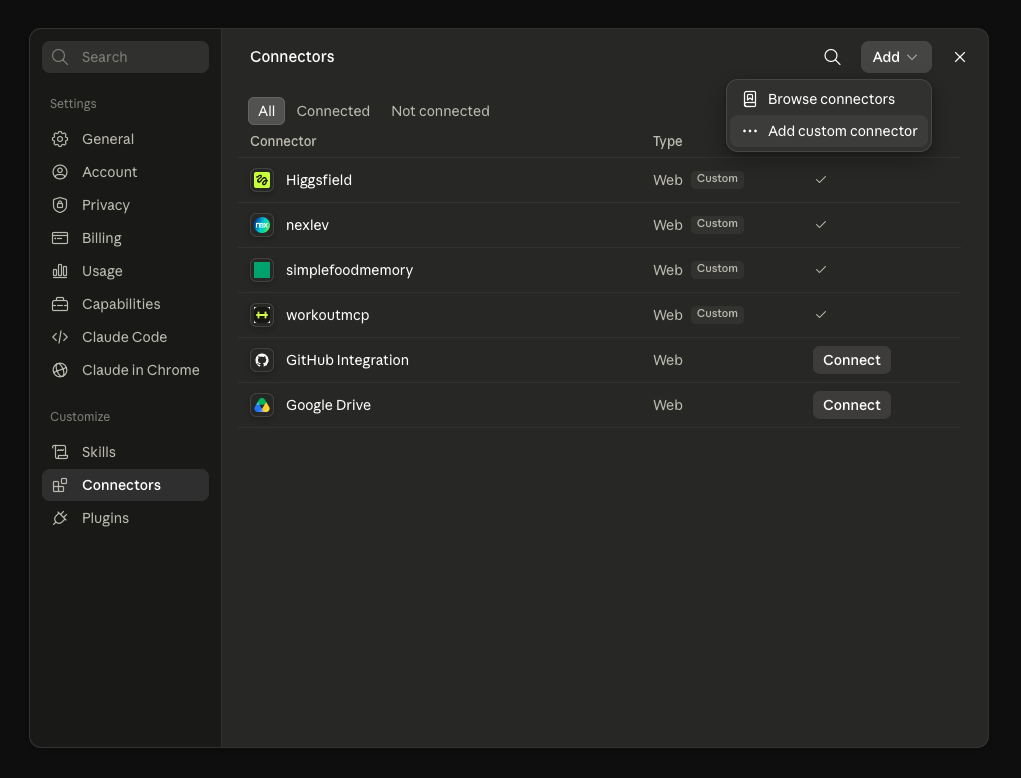
-
Paste the MCP endpoint above.
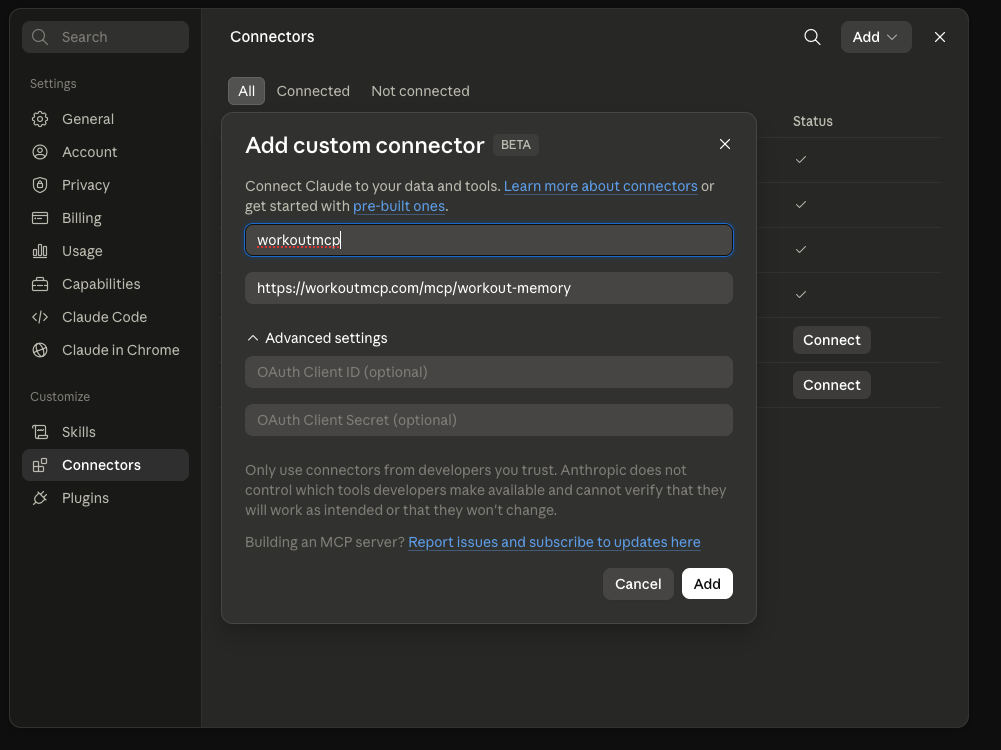
- Connect, sign in, and approve access.
Example prompts
- "I am starting a workout now: legs."
- "Log today's workout: bench press 5x5 at 80 kg, incline dumbbell press 3x10 at 26 kg."
- "Here are my old training notes. Add each past session to Workout Memory with the dates shown."
- "Log 45 minutes of spinning and 20 minutes of yoga this morning."
- "What did I bench last week, and did I set any PRs?"
- "I meant front squats, not back squats. Fix the last workout and remember that wording."